How to get a refund when a gift card code fails
A step-by-step guide to get refunds when a gift card code fails: who to contact, how to file disputes, what evidence to gather, and tips to avoid it.
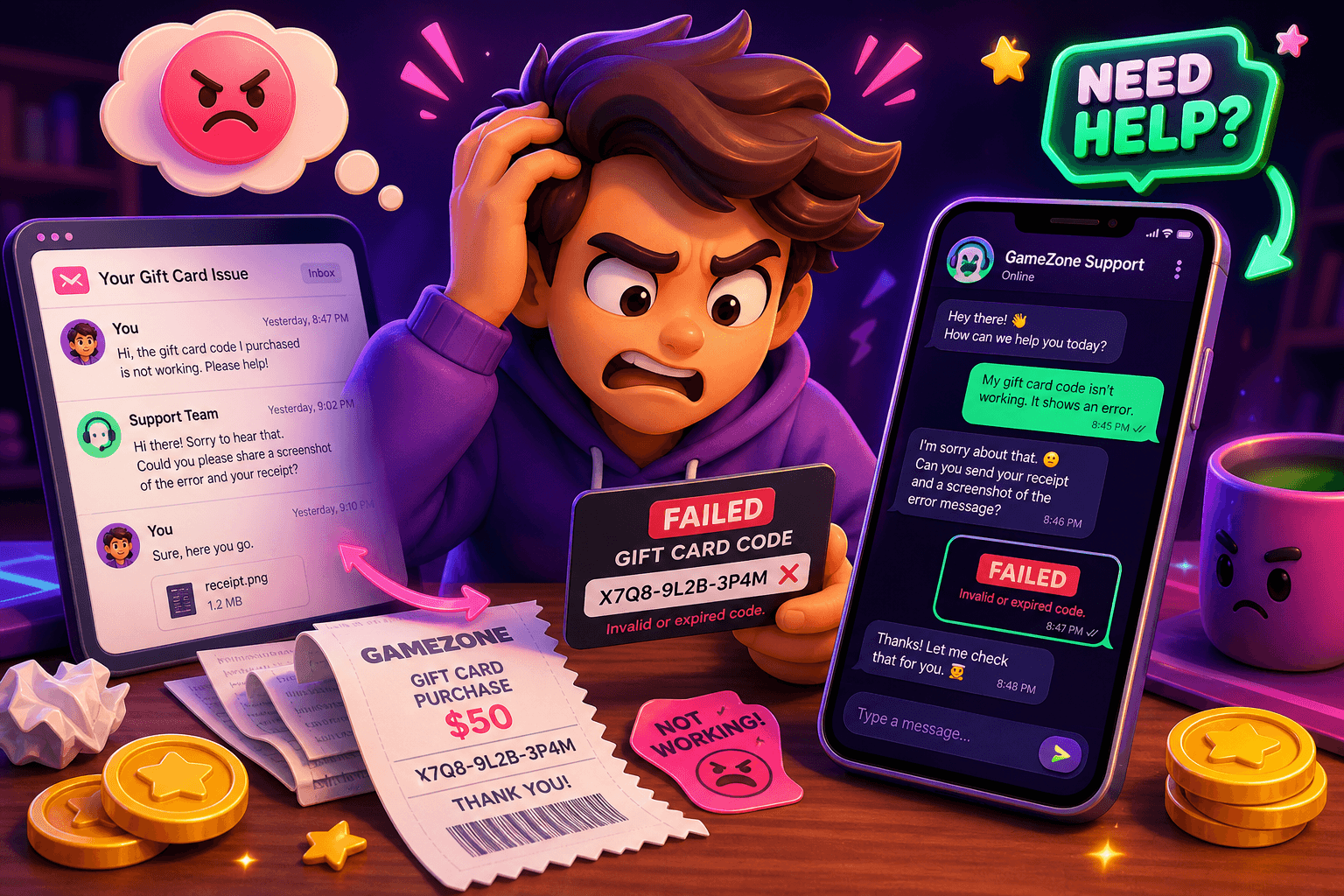
Start here: quick action plan
Got a gift card that won't work at checkout? Act fast, because timing matters. First, do not toss the card, the email, or the original receipt. Keep screenshots of the error, copy the exact code, and note the date and time you tried to use it. Those items are the basics every support team will ask for.
Follow this short checklist in order: 1) try the code again on a different device or browser; 2) capture screenshots of the error and the code; 3) find the original purchase proof or order email; 4) contact the seller or issuer with a clear request for refund or replacement.
Try basic troubleshooting before you ask for a refund
Sometimes the code fails for simple reasons that are easy to fix. Try these quick steps first:
- Re-enter the code carefully, watch for similar characters like 0 and O, or l and 1.
- Try a different browser, clear cache, or use incognito mode.
- Confirm the card is valid in your region, and the brand accepts the card for the item you want.
- Check for partial balance issues. Some systems require a second payment method for leftover balance.
If one of these resolves the issue, you saved time. If not, move on to contacting the issuer.
Contact the seller or issuer, and what to say
Start with the merchant that sold the card, or the branded issuer if it was a store-specific gift card. Keep messages short, factual, and polite. A simple script you can copy:
"I purchased a gift card for [amount] on [date] (order # or receipt #). The code [CODE] is not working and shows [error message]. Please refund or replace the code. I can provide screenshots and the purchase receipt."
Send this in the channel the seller prefers: their online support form, an email address, or the chat on their website. If you bought the card from a third-party retailer, include that detail and any order or transaction numbers.
Be ready to wait a few days for a response. Most companies respond within 3 to 7 business days. If they promise a follow-up, note the timeframe and set a reminder to escalate if they miss it.

If the seller refuses or ghosts you: escalate
If you get a flat refusal or no response, escalate these ways in order:
- Ask for a manager or supervisor in the support channel.
- Use the brand's official social support accounts, like Twitter or Facebook, to get attention. Public posts often move faster.
- File a complaint with the company’s corporate customer service email or a consumer protection agency if the company is unresponsive.
When you escalate, always include the timeline of what you tried and the evidence you collected. Keep copies of every message.
Use your payment method to get a refund
If the issuer will not help, use the payment method you used to buy the gift card. Different payment services have different dispute paths, and typical outcomes are partial refunds or chargebacks. Here are the basics:
- Credit card: Call the card issuer and ask to file a dispute for a product not delivered or a defective product. Provide your evidence. Credit card disputes usually have strong buyer protections.
- PayPal, Venmo, Cash App: Each has an in-app dispute or claim process. Start the claim and upload screenshots, receipts, and seller messages.
- Bank transfer or Zelle: These are harder to reverse if the payment was sent as friends and family. If it was a purchase, file a complaint with your bank and provide proof.
Dispute time windows vary. Credit card companies typically allow disputes within 60 days of a statement, but do not wait too long. Start sooner for the best chance of success.
Documentation checklist
Have these items ready before you file any dispute:
- Receipt or order confirmation showing purchase date and amount.
- The exact gift card code, including any dashes or spaces as shown.
- Screenshots of the checkout error message and the page where you entered the code.
- Any email threads, chat transcripts, or support ticket numbers.
- The name and contact info of the seller, and the payment transaction ID.
Organize these in one folder or PDF so you can upload them quickly when a dispute form asks for evidence.

What to expect in realistic terms
Be honest about outcome probability. Many refunds are issued if you have proof of purchase and clear error messages. But some sellers will only replace codes, not refund money, or they may deny claims if the card was marked redeemed.
Also be realistic about earnings if you plan to repurchase a replacement card using short-term income from apps. For example, some users earn $10 to $150 per month from side rewards apps. If you need small, quick cash to replace a card, consider low-friction options with a fast cashout.
If you want a lightweight option to earn small amounts quickly, Playpot might help. Playpot, Tap. Play. Cash out. Playpot is a free play-to-earn rewards site. Play games, take surveys, and complete app offers to earn coins, then cash out real money via PayPal, Venmo, or Cash App. No download, play right in your browser. minCashoutUsd: 20 rewardMethods: ["PayPal", "Venmo", "Cash App", "Zelle", "gift cards"], platforms: ["Web", "iOS", "Android", "Desktop"].
How to avoid future problems
Preventing failed codes is better than disputing them. Follow these tips:
- Buy from reputable retailers or directly from the brand when possible.
- Keep digital receipts and forward order confirmations to a dedicated email label or folder.
- Scratch or reveal codes carefully, and photograph them immediately after purchase in case of disputes.
- When buying from a marketplace or third-party seller, check seller ratings and return policies first.
Also consider conservative purchases: if you are redeeming large balances, test a small amount first or contact support before buying.

Also worth a look
Birthday Hunter aggregates 500+ birthday freebies from major brands so you can claim perks and free items without signing up for dozens of loyalty programs one at a time. If you are trimming everyday costs after a botched gift card purchase, Birthday Hunter helps you collect free meals, discounts, and samples on your birthday and beyond. A concrete use case is claiming a free meal or drink while you wait for a refund to process.
Quick summary
Start with evidence: screenshots, receipts, and the exact code. Contact the seller with a short factual request, escalate if needed, and use your payment provider to open a dispute when the issuer will not cooperate. Keep records of every step, and use prevention tips to avoid the hassle next time.
If you need a small, legit way to replace a failed card quickly, consider low-friction rewards apps that cash out to PayPal or Cash App, and always keep your proof of purchase handy.
Turn this into real money with Playpot
Play games, take surveys, and complete offers — earn from your very first one and cash out real money.
Play nowGet the best-paying offers by email
Drop your email and we will send the best-paying offers so you can start earning the moment you sign up.
We use your email to send the bonus code and occasional Playpot updates. Unsubscribe in one click.